


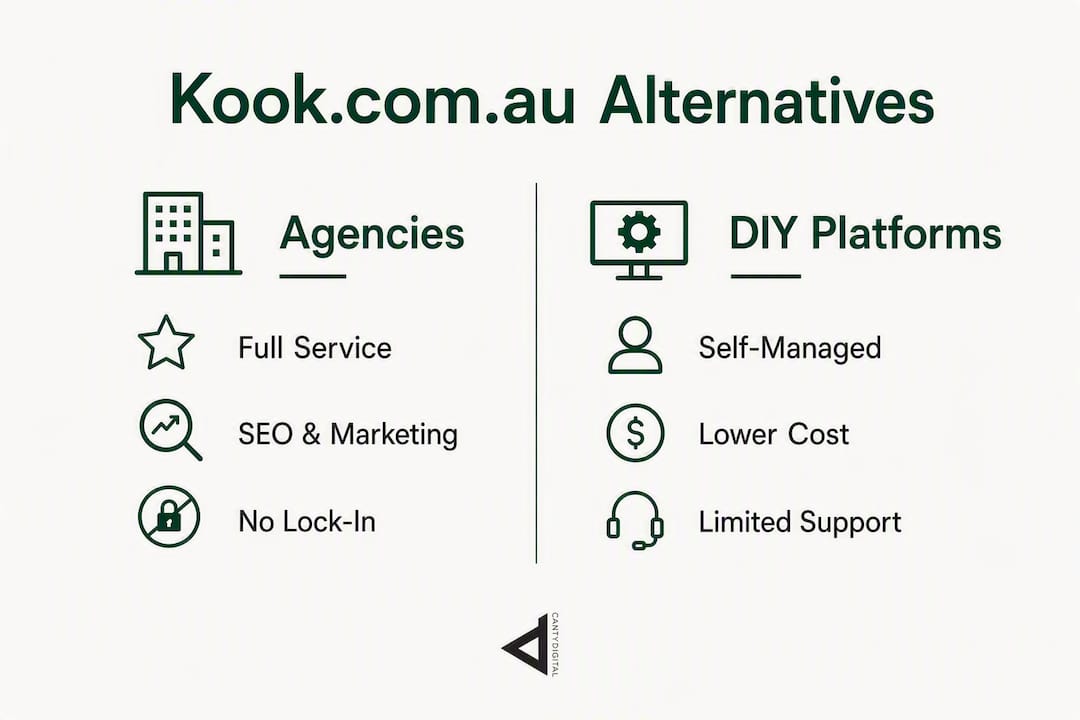
If you’re looking to replace Kook Web Design, the two best routes are hiring a full-service Australian digital agency or moving to a self-managed platform. For most small to mid-sized businesses, a local agency replacement gives you the ongoing marketing support Kook bundled in. For leaner operations with simpler sites, a DIY platform cuts costs significantly.
Agency replacements (recommended for ongoing marketing support):
- CantyDigital — Wollongong-based, with extensive experience, no lock-in contracts, 5-star Wix Partner, AI-focused SEO
- Local boutique agencies in your region (Queensland, NSW, Victoria)
- National full-service digital agencies with dedicated account management
DIY platform substitutes:
- WordPress / WooCommerce — most flexible, highest customisability
- Webflow — designer-grade control without a developer on call
- Shopify — purpose-built for eCommerce
- Squarespace / Wix — easiest self-managed options
- Magento — enterprise eCommerce only
Pick an agency when you need SEO, paid media, and web design bundled together. Choose a DIY platform when your team has the capacity to manage content and updates in-house, and your site requirements are relatively straightforward.
Table of Contents
- How do the top kook.com.au alternatives compare?
- Which Australian agency should you shortlist?
- DIY platform alternatives: pros, cons, and realistic costs
- How to choose the right alternative quickly
- How a trusted Australian agency handles your migration
- Key takeaways
- What actually matters when you switch agencies
- CantyDigital: a direct alternative to Kook with no lock-in
How do the top kook.com.au alternatives compare?
Kook positions itself as a Sunshine Coast specialist with an in-house team covering web design, eCommerce, and digital marketing. The table below maps its closest alternatives across the same decision dimensions.
| Option | Best for | Pricing model | Ease of use | Customisability | eCommerce | Hosting & updates | SEO-friendliness | Time to launch | Local support |
|---|---|---|---|---|---|---|---|---|---|
| Local full-service agency (e.g. CantyDigital) | SMBs needing design + ongoing SEO | Monthly retainer + project fee | Managed for you | High — custom builds | Full support | Agency managed | High — built-in strategy | 4–10 weeks | Yes — AU-based team |
| National full-service agency | Growth brands, multi-location | Retainer-based | Managed for you | High | Full support | Agency managed | High | 6–12 weeks | Phone/email |
| WordPress / WooCommerce | Custom sites, content-heavy, eCommerce | One-off build + hosting/maintenance | Moderate — needs upkeep | Very high | Strong via WooCommerce | Self or agency managed | Excellent with plugins | 4–8 weeks | Plugin/community |
| Webflow | Design-led businesses, agencies | Build fee + Webflow subscription | Moderate | High | Basic to moderate | Webflow hosted | Good | 3–6 weeks | Online/community |
| Shopify | eCommerce-first businesses | Monthly subscription + build | Easy | Moderate | Excellent | Shopify hosted | Good | 2–4 weeks | 24/7 online |
| Squarespace / Wix | Simple brochure sites, startups | Low monthly subscription | Very easy | Low to moderate | Basic to moderate | Platform hosted | Moderate | 1–3 weeks | Online chat |
| Magento | Large-scale enterprise eCommerce | High build cost + ongoing dev | Complex — needs developer | Very high | Enterprise-grade | Self or agency managed | High with dev effort | 12–24 weeks | Partner network |
Businesses that need a full-service replacement — design, SEO, and ongoing marketing in one place — will find a local agency the closest like-for-like swap. Businesses with simpler sites and in-house capacity to manage updates are better served by Shopify, Wix, or Squarespace.
Which Australian agency should you shortlist?
Local agencies across Australia commonly bundle web design, SEO, and paid media, which is exactly what most Kook clients are used to receiving. Here is how to think about each category.
-
CantyDigital (recommended): A Wollongong-based agency with 12 years of experience, web design and SEO services across Australia, and no lock-in contracts. As a certified 5-star Wix Partner with AI-focused SEO capability, CantyDigital suits businesses that want a full-service replacement without being locked into a long-term agreement. Ask about their migration audit process and AISEO approach on the first call. Red flag to watch: any agency that cannot show you live client sites and verifiable reviews.
-
Local boutique agencies: Smaller studios in your city or region. Best for businesses that want face-to-face account management and a tight feedback loop. Ask who actually builds the site — some boutiques outsource development offshore. Red flag: no local case studies or references you can call.
-
Regional in-house teams: Mid-sized agencies with 10–30 staff covering design, SEO, and paid media under one roof. Best for businesses with $3,000–$8,000/month marketing budgets. Ask for a breakdown of which services are handled in-house versus contracted out. Red flag: vague answers about team structure.
-
National full-service agencies: Larger operations with specialist teams. Best for multi-location businesses or brands running significant ad spend. Ask about dedicated account management and reporting cadence. Red flag: a junior account manager who cannot answer technical questions.
Vetting signals that matter: Portfolio depth (live URLs, not screenshots), client reviews on ProductReview or Trustpilot, platform partner badges (Wix Partner, Shopify Expert, Google Partner), transparent pricing tiers, and a clear migration support process. Public profiles give a starting point, but case studies and references you can actually contact are what separate credible agencies from ones that look good on paper.
Pro Tip: Ask every shortlisted agency to walk you through a migration they have completed — specifically how they handled redirects and SEO preservation. An agency that cannot answer this in detail is a risk.

DIY platform alternatives: pros, cons, and realistic costs
Choosing a platform over an agency makes sense when your site is relatively simple, your team can handle content updates, and you want to reduce ongoing monthly costs. Here is what each platform actually delivers.
-
WordPress / WooCommerce: The most widely used CMS globally. Pros: unlimited customisability, strong SEO with plugins like Yoast or Rank Math, massive developer ecosystem. Cons: requires ongoing maintenance, plugin conflicts are common, security updates are your responsibility. Typical build cost: $3,000–$15,000 with an agency; ongoing hosting and maintenance $50–$300/month.
-
Webflow: A designer’s platform that generates clean code without a traditional CMS. Pros: pixel-perfect design control, fast-loading sites, built-in CMS. Cons: steeper learning curve than Wix or Squarespace, eCommerce is limited compared to Shopify, subscription cost adds up. Build cost varies depending on the project; Webflow subscription requires a monthly fee.
-
Shopify: Purpose-built for selling online. Pros: best-in-class eCommerce features, 24/7 support, huge app marketplace. Cons: monthly fees plus transaction fees if not using Shopify Payments, limited flexibility outside eCommerce. Build costs vary; plans require a monthly subscription fee (USD pricing applies in Australia).
-
Squarespace: Best for service businesses and creatives wanting a polished site fast. Pros: beautiful templates, all-in-one hosting, easy to manage. Cons: limited SEO control compared to WordPress, not suited to complex eCommerce. Plans require a monthly subscription fee; build cost is minimal if self-managed.
-
Wix: The most beginner-friendly builder. Pros: drag-and-drop editor, large template library, app market. Cons: sites can be harder to migrate away from later, SEO ceiling is lower than WordPress. Plans require a monthly subscription fee. CantyDigital’s Wix SEO guide covers how to get the most out of it for search.
-
Magento (Adobe Commerce): Enterprise-grade eCommerce only. Pros: handles massive product catalogues, highly extensible. Cons: expensive to build and maintain, requires dedicated developers. Build cost is high and ongoing development costs are substantial. Only relevant for large retailers with complex inventory needs.
How to choose the right alternative quickly
Work through these criteria in order. The first one that eliminates an option is usually the right filter.
- Define your primary goal. New site only, or ongoing SEO and marketing too? If ongoing marketing, an agency is almost always the better fit.
- Set your budget envelope. Under $5,000 total points toward Wix, Squarespace, or a basic Shopify setup. $5,000–$20,000 opens up WordPress, Webflow, or a boutique agency. Above $20,000, a full-service agency or Magento becomes viable.
- Assess your eCommerce complexity. Selling more than 50 SKUs with variants, subscriptions, or custom checkout flows? Shopify or WooCommerce. Simple product listings? Any platform works.
- Map your SEO and content needs. If organic search is a revenue channel, you need either WordPress or an agency managing SEO for you. Wix and Squarespace can rank, but they have a lower ceiling.
- List your integrations. CRM, booking systems, ERP, payment gateways — complex integrations favour WordPress or a custom agency build.
- Set a realistic launch timeline. Need to be live in under four weeks? Shopify or Wix. Happy to wait eight to twelve weeks for a proper build? Agency or WordPress.
- Decide your support expectation. Want someone to call when something breaks? You need an agency retainer, not a DIY platform.
Questions to ask shortlisted agencies or platform partners:
- Can you show me three live client sites you have built in the last 18 months?
- How do you handle redirects and SEO preservation during migration?
- What does your ongoing support look like after launch?
- Are your contracts month-to-month or locked in?
- Who owns the website and all its content if we part ways?
Deal-breakers to walk away from:
- No migration plan or vague answers about redirects
- No verifiable client references
- Opaque pricing with “custom quotes only” and no ballpark ranges
- Production outsourced offshore with no disclosure
Typical time-to-launch ranges: Wix/Squarespace self-managed (1–3 weeks), Shopify with agency (2–4 weeks), WordPress or Webflow with agency (4–10 weeks), custom enterprise build (12–24 weeks).

How a trusted Australian agency handles your migration
A migration plan that preserves redirects, content structure, and key SEO elements is the single most important factor in avoiding ranking losses when changing provider. Here is what a properly managed migration looks like.
Migration steps:
- Discovery and audit — Map all existing pages, URLs, rankings, and integrations. Identify SEO-critical pages.
- Content export — Export all copy, images, and media assets from the current site.
- New build — Develop the new site on a staging environment; no live changes until QA is complete.
- Redirect mapping — Create a 301 redirect map for every old URL to its new equivalent.
- Integration testing — Confirm forms, email, CRM, and payment gateways all function correctly.
- QA and pre-launch checks — Test across devices, browsers, and page speed benchmarks.
- Launch and monitoring — Go live, submit updated sitemap to Google Search Console, monitor rankings for 30 days post-launch.
| Phase | Typical duration |
|---|---|
| Discovery and audit | 1–2 weeks |
| Build (staging) | 3–6 weeks |
| QA and testing | 1 week |
| Launch and monitoring | Ongoing (30-day minimum) |
Risk mitigation checklist:
- Never launch without a complete 301 redirect map in place
- Keep the old site accessible on a staging URL for at least 30 days post-launch
- Submit the new sitemap to Google Search Console on launch day
- Monitor Google Search Console for crawl errors weekly for the first month
- Back up all content and database files before any migration step begins
CantyDigital’s no lock-in approach means you are not tied to a long-term agreement after the migration is complete. Their support model includes post-launch monitoring and ongoing SEO retainers available month-to-month, so you stay in control.
Key takeaways
For most Australian SMBs replacing Kook, a local full-service agency with no lock-in contracts and built-in SEO capability is the lowest-risk, highest-value replacement route.
| Point | Details |
|---|---|
| Agency vs platform decision | Choose an agency when you need ongoing SEO and marketing; choose a platform when your team can self-manage. |
| Migration SEO risk | A complete 301 redirect map and 30-day post-launch monitoring are non-negotiable to protect rankings. |
| DIY platform fit | Shopify suits eCommerce-first businesses; WordPress suits content-heavy or custom sites; Wix/Squarespace suit simple brochure sites. |
| Vetting shortlisted agencies | Require live portfolio URLs, verifiable client references, and a clear migration plan before signing anything. |
| CantyDigital recommendation | CantyDigital is a recommended full-service Australian replacement with no lock-in contracts, AI-focused SEO, and migration support across Australia. |
What actually matters when you switch agencies
Most businesses focus on price when they are replacing a web agency. That is understandable, but it is usually the wrong first filter. The question that actually determines whether the switch goes well is: does this agency have a documented migration process, and can they show you evidence it worked?
Kook built its reputation on an in-house team and local Sunshine Coast focus. What that means for a business moving on is that you have been getting bundled services — design, SEO, and marketing — from one team. The risk of switching is not the new website. It is the gap between the old site going down and the new one being properly indexed. Agencies that treat migration as an afterthought, or that hand you a WordPress login and wish you luck, create that gap.
The other thing most clients overlook is AI search. Google’s results increasingly surface AI-generated overviews, and Perplexity and ChatGPT are now genuine traffic sources for many businesses. An agency that is not building sites and writing content with LLM-compatibility in mind is already behind. That is not a future consideration — it is a 2026 requirement.
Pick the agency that can show you both: a clean migration track record and a clear answer to “how do you optimise for AI search?” If they look blank at the second question, keep looking.
CantyDigital: a direct alternative to Kook with no lock-in
If you want a full-service Australian agency that handles the migration, the ongoing SEO, and the web build without tying you to a long-term contract, CantyDigital is worth a conversation. Based in Wollongong with services across Australia, CantyDigital brings 12 years of experience, a 5-star Wix Partner credential, and AI-focused SEO built for modern search, including LLM platforms.
The practical difference from most agencies: no lock-in monthly agreements, a documented migration process that covers redirects and SEO preservation from day one, and SEO retainers that are available month-to-month. You own your site and your content from the start.
Ready to see what a migration audit looks like for your current site? Visit the CantyDigital web design service page or check the website design FAQs to get your questions answered before you commit to anything.