


A website redesign is the process of updating a site’s structure, visual design, content, and technical foundation to meet current user expectations and search engine standards. To redesign an outdated business website in 2026 effectively, you need a plan that improves user experience, protects your existing SEO rankings, and uses AI-assisted tools to cut cost and time. Traditional redesigns take 2–6 months and cost $5,000–$50,000, while AI-assisted approaches can complete the same work in days for under $200. That gap is the single most important reason Australian business owners are rethinking how they approach a site refresh in 2026. The industry term for this approach is “incremental AI-assisted redesign,” and it sits alongside the broader practice of website redevelopment.
What do you need before starting a website redesign in 2026?
Preparation separates a smooth redesign from a costly one. Before you touch a single page, you need a clear picture of what your current site does well and where it fails.
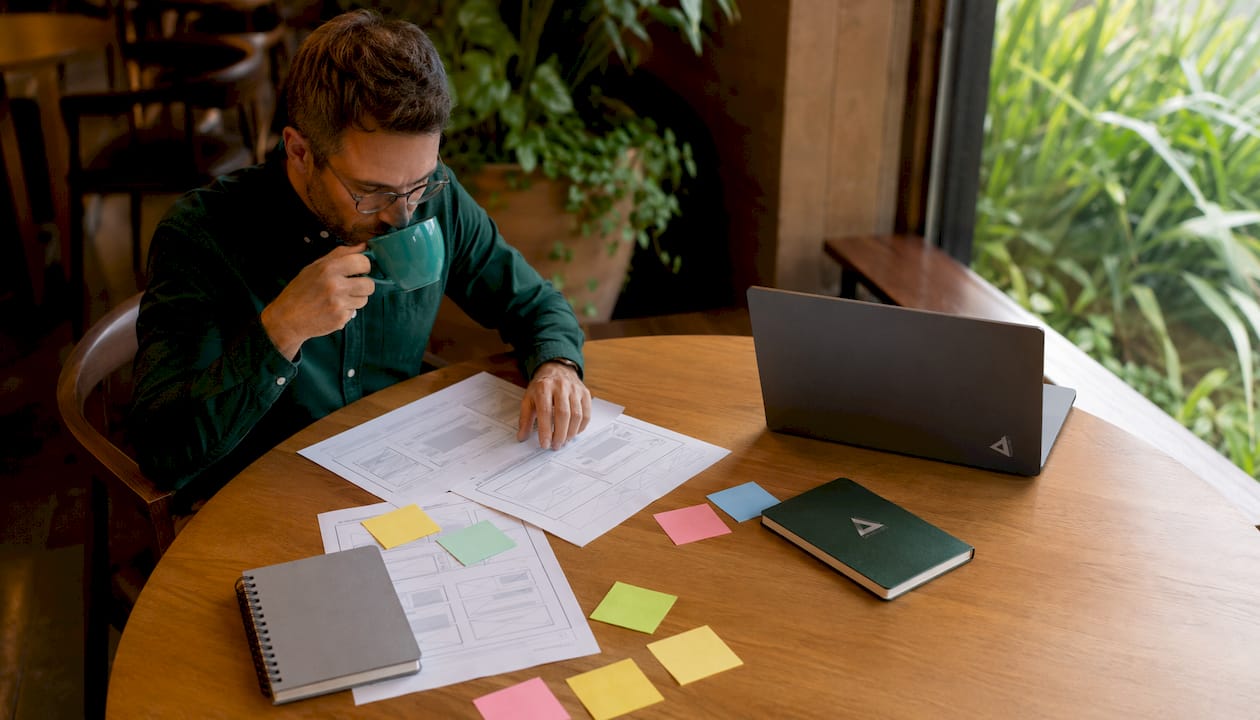
Start with a performance audit. Pull your data from Google Analytics 4 and Google Search Console. Look at bounce rate, average session duration, top-performing pages, and which keywords drive organic traffic. These numbers tell you what to preserve and what to fix. Skipping this step is one of the most common website redesign mistakes business owners make.
Define your goals before you design anything. Are you trying to increase enquiries, reduce bounce rate, or rank for new keywords? Each goal changes the design decisions you make. A site built to generate leads looks and behaves differently from one built to sell products online. If you are running an online store, review ecommerce design best practices before you commit to a direction.
Here is a pre-redesign checklist to work through:
- Export your top 20 pages by organic traffic from Google Search Console
- Record all existing URLs you must preserve to protect rankings
- Document your current page speed scores using Google PageSpeed Insights
- List your top 5 business goals for the redesigned site
- Identify your primary audience and their device preferences (mobile vs desktop)
- Note any accessibility gaps, such as missing alt text or poor colour contrast
Pro Tip: Set up a Google Search Console property for your new staging domain before you launch. This lets you catch crawl errors and indexing issues before they affect your live rankings.
| Audit area | Tool to use |
|---|---|
| Organic traffic and keywords | Google Search Console |
| User behaviour and bounce rate | Google Analytics 4 |
| Page speed and Core Web Vitals | Google PageSpeed Insights |
| Accessibility compliance | WAVE or axe DevTools |
| Broken links and crawl errors | Screaming Frog SEO Spider |
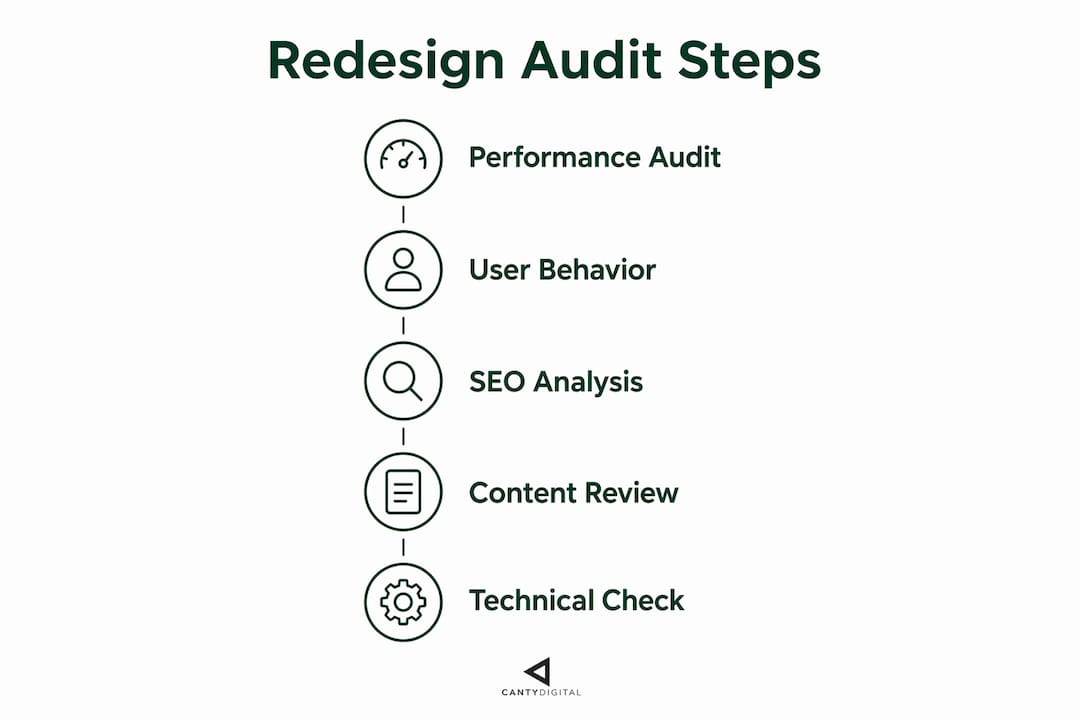
How can AI tools modernise your site without a full rebuild?
AI-assisted redesign is the most significant shift in web development practice for 2026. AI-powered modernisation tools reduce development costs by 50–90% compared to traditional rebuilds. That is not a marginal saving. It means a $20,000 rebuild could become a $2,000 refresh.
The core mechanic is straightforward. AI models read your live pages and propose specific changes to layout, typography, spacing, and calls to action. They output CSS snippets and copy rewrites you can apply directly. Modern AI models analyse existing pages and suggest layout, typography, and CTA improvements with ready-to-use code. You are not starting from scratch. You are improving what already works.
AI tools also rewrite outdated copy while preserving keyword density and search intent. This matters because Google ranks pages on content relevance, not design. You can change how a page looks without losing its ranking, as long as the URL and content intent stay consistent.
Follow this stepwise process for an AI-assisted redesign:
- Audit and map. Feed your top-performing URLs into an AI tool. Ask it to identify design weaknesses, outdated copy, and poor visual hierarchy.
- Generate recommendations. Use image-capable AI models to review screenshots of each page. Request specific improvements to spacing, font size, button placement, and colour contrast.
- Rewrite copy. Ask the AI to update body text for a 2026 audience while keeping your target keywords and their intent intact.
- Generate new graphics. Use AI image tools to create on-brand visuals that replace stock photos or outdated illustrations.
- Customise outputs. Review every AI suggestion against your brand guidelines. Generic outputs need human editing to feel distinctive.
- Test on a staging site. Apply changes to a staging environment before touching your live site.
- Launch page by page. Roll out updates one page at a time to monitor the impact on traffic and engagement.
Pro Tip: Always run AI-generated copy through a brand voice check before publishing. AI writes clearly, but it does not know your tone. A five-minute edit makes the difference between generic and genuine.
One important caution: Canva has warned that AI-generated “vibe coded” sites risk looking generic and losing brand distinctiveness. AI accelerates the work, but human judgement keeps your site from blending into the crowd.
What are the best practices for UX, mobile, and SEO in a 2026 redesign?
User experience and technical SEO are not separate concerns. They reinforce each other. A site that loads fast, reads well on mobile, and guides users clearly also tends to rank well.
38% of website visitors prioritise navigation links, and the same proportion stop engaging if the design is unattractive. That data point means your navigation and visual design are not cosmetic choices. They directly affect whether visitors stay or leave.
Mobile-first design is non-negotiable. Mobile bounce rates reach 70–80% on sites with fixed-width layouts and heavy media. A responsive layout that adjusts to any screen size is the baseline. Touch targets should be at least 44×44 pixels. Font sizes should be readable without zooming.
Page speed drives both UX and rankings. Compress images before uploading. Use lazy loading so images below the fold only load when needed. A content delivery network (CDN) serves your assets from servers close to your visitors, cutting load times significantly.
Protect your SEO during the redesign. Full rebuilds can cause organic traffic drops of 20–50% even with 301 redirects in place. Preserving your URL structure is the single most effective way to avoid that loss. Where URLs must change, implement 301 redirects immediately and update your sitemap.
Key technical and UX standards to apply:
- Use semantic HTML5 elements (header, nav, main, article, footer) for structure
- Add Schema.org structured data to pages for rich search results
- Include ARIA labels, keyboard navigation support, and scalable fonts for accessibility
- Write unique meta titles and descriptions for every page
- Use a clear visual hierarchy with one primary call to action per page
- Check web design elements that reduce conversions before finalising your layout
Modern accessibility requirements include keyboard navigation, ARIA labels, scalable fonts, and sufficient colour contrast. These are not optional extras. They affect usability for all visitors, not just those with disabilities.
| SEO factor | Action required |
|---|---|
| URL structure | Preserve existing URLs wherever possible |
| Changed URLs | Implement 301 redirects and update sitemap |
| Page titles and meta descriptions | Rewrite for each page with target keywords |
| Structured data | Add Schema.org markup to key page types |
| Core Web Vitals | Pass LCP, FID, and CLS thresholds in PageSpeed Insights |
How do you test, launch, and monitor your redesigned site?
A phased launch is safer than a full site swap. Incremental rollout and monitoring key performance indicators over weeks helps avoid the traffic drops that often occur in big-bang launches. Roll out one page or section at a time, measure the result, and adjust before moving to the next.
Follow this launch sequence:
- Test on a staging site. Check every page across Chrome, Safari, Firefox, and Edge. Test on both iOS and Android devices. Confirm all forms, buttons, and links work correctly.
- Run a pre-launch SEO check. Verify that all redirects are in place, the sitemap is updated, and no pages are accidentally set to “noindex.”
- Launch your highest-traffic pages last. Start with lower-traffic pages to catch issues before they affect your most valuable content.
- Monitor Google Search Console daily for the first two weeks. Watch for crawl errors, drops in impressions, and any pages falling out of the index.
- Track Core Web Vitals. Use Google Search Console’s Core Web Vitals report to confirm your redesigned pages pass LCP, FID, and CLS thresholds.
- Collect user feedback. Use on-page surveys or session recording tools to identify where visitors get confused or drop off.
A phased, AI-powered redesign approach mitigates the traffic risk of a full site launch. Businesses that roll out changes incrementally and monitor KPIs weekly recover faster from any dips and build on what works.
Pro Tip: Set up a Google Analytics 4 comparison report before you launch. Compare the four weeks before and after each page goes live. This gives you clean before-and-after data without noise from unrelated traffic changes.
The goal is not a perfect launch. The goal is a launch you can learn from quickly and improve. Treat your website as a system that needs ongoing attention, not a project with a finish line.
Key takeaways
A successful website redesign in 2026 preserves existing SEO rankings, applies AI-assisted tools to cut cost and time, and rolls out changes incrementally to protect traffic.
| Point | Details |
|---|---|
| Audit before you redesign | Export top pages from Google Search Console and record all URLs before making any changes. |
| AI cuts cost dramatically | AI-assisted redesigns can cost under $200 and complete in days versus months for traditional rebuilds. |
| Preserve URLs to protect SEO | Full rebuilds risk 20–50% organic traffic loss; keep existing URLs wherever possible. |
| Mobile-first is the baseline | Sites with fixed-width layouts see bounce rates of 70–80% on mobile devices. |
| Launch incrementally | Roll out one page at a time and monitor KPIs weekly to catch issues before they spread. |
What I have learned from watching businesses redesign their sites
The most common mistake I see is treating a redesign as a one-time event. Business owners invest months of effort, launch a new site, and then leave it untouched for three years. By the time they look again, the site is outdated all over again.
The businesses that get the best results treat their website as a living system. They make small, measurable changes, watch what the data says, and adjust. An AI-assisted approach fits this mindset perfectly because it makes individual page updates fast and low-risk.
The second thing I have noticed is that AI tools are genuinely useful, but they need a strong brief. Feed an AI tool a vague instruction and you get a generic result. Give it your brand colours, your tone of voice, your target audience, and your specific goal for that page, and the output is genuinely usable. The tool does the heavy lifting. You provide the direction.
The SEO preservation point is the one I push hardest with clients. I have seen businesses lose 30–40% of their organic traffic after a redesign because someone changed all the URLs without setting up redirects. That traffic took years to build. Losing it in a week is avoidable. If you want to understand how SEO strategy in 2026 has shifted with AI search, read up before you finalise your redesign plan. The rules have changed more than most people realise.
— Matthew
CantyDigital can help you modernise your website the right way
Redesigning an outdated site is one of the highest-return investments an Australian business can make, but only when it is done with the right technical and SEO foundations in place.
CantyDigital is a Wollongong-based digital agency with 12 years of experience in high-performance web design and AI-integrated SEO. We build sites from the ground up with search engine and AI citation compatibility built in, not bolted on after the fact. Whether you need a full redevelopment or a targeted refresh of your existing site, our team handles the technical detail so you do not have to. Check our website design FAQs to see how we approach redesign projects, or explore our SEO growth plans to keep your rankings climbing after launch.
FAQ
How long does a website redesign take in 2026?
An AI-assisted redesign can complete in days for under $200, while traditional rebuilds typically take 2–6 months and cost $5,000–$50,000. The timeline depends on the scope and whether you use an incremental or full-rebuild approach.
Will a redesign hurt my Google rankings?
Full rebuilds can cause organic traffic drops of 20–50% even with 301 redirects in place. Preserving your existing URL structure and applying redirects immediately for any changed URLs is the most effective way to protect your rankings.
What is the most important UX factor in a 2026 redesign?
Mobile-first responsive design is the most critical factor. Sites with fixed-width layouts and heavy media see mobile bounce rates of 70–80%, which directly reduces conversions and search rankings.
Should I use AI tools for my website redesign?
AI tools reduce development costs by 50–90% compared to traditional rebuilds and can suggest layout, typography, and copy improvements with ready-to-use code. They work best when guided by clear brand instructions to avoid generic outputs.
How do I protect my SEO during a redesign?
Export your top-performing URLs from Google Search Console before you start, preserve those URLs in the new design, and implement 301 redirects for any that must change. Monitor Google Search Console daily for the first two weeks after launch to catch crawl errors early.