


Processed click signals influence search rankings. Not raw, unadjusted CTR — but normalised engagement data that Google’s re-ranking systems use to refine relevance. The distinction matters because it changes what you should actually do about it.
Here is the short version:
- Google’s NavBoost system re-ranks results using quality-classified click signals (goodClicks, lastLongestClicks) aggregated over a 13-month rolling window, not a snapshot of yesterday’s clicks.
- Sustained, genuine engagement helps. Sudden artificial spikes are detected, downweighted, and sometimes penalised.
- Your first move: open Google Search Console, filter by page, and find URLs with high impressions but below-average CTR for their position. Those are your highest-leverage targets.
“A good information retrieval system should present relevant documents high in the ranking” — Thorsten Joachims, Cornell University, whose 2002 paper on clickthrough data laid the academic groundwork for using click signals in ranking systems.
Table of Contents
- What is organic CTR and how do you calculate it?
- How does CTR actually influence rankings?
- How to measure CTR accurately in Google Search Console
- Practical ways to improve organic CTR
- How to test CTR changes and verify whether they affect rankings
- Common myths and unsafe tactics to avoid
- How long before CTR improvements influence rankings?
- What CantyDigital’s Australian audit data showed
- Key takeaways
- The part most CTR guides get wrong
- CantyDigital’s CTR and SERP optimisation service
What is organic CTR and how do you calculate it?
Organic CTR is the percentage of search impressions that result in a click on your organic listing. The formula is straightforward:
CTR = Clicks ÷ Impressions × 100
So if a page receives clicks from thousands of impressions in Google Search Console, its CTR is calculated by dividing clicks by impressions times 100. Simple enough — but the number is only useful when you know what to compare it against.
CTR benchmark: Industry analyses consistently show the first organic position captures roughly 39.8% of clicks, while position two drops to around 18.7%. By position five, you are typically looking at single-digit percentages.
That steep drop is why position matters so much when interpreting CTR. A 4% CTR looks poor for a #1 ranking but reasonable for position six. Always compare a page’s CTR to the expected rate for its average position, not to a generic benchmark.
Google Search Console lets you slice CTR across four key dimensions: query, page, country, and device. Each filter reveals something different. Query-level data shows which search terms are underperforming. Page-level data flags which URLs need snippet work. Device segmentation (desktop vs. mobile) often surfaces the biggest surprises, since mobile SERPs frequently show fewer organic results above the fold.

Set your date range to at least 28 days to smooth out daily noise, and compare equivalent periods (avoid spanning a seasonal peak in one window and a trough in another).
How does CTR actually influence rankings?
The honest answer is: it’s complicated, and most explanations oversimplify it.
The NavBoost mechanism
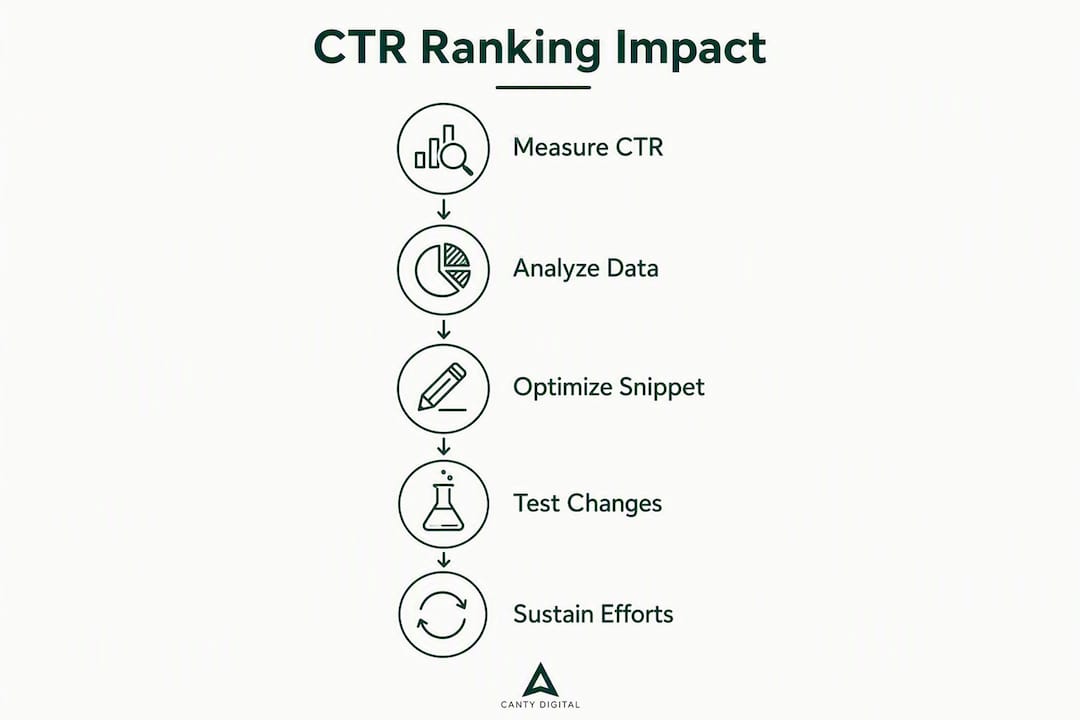
Google’s NavBoost is a re-ranking layer, not a primary ranking system. It takes an initial set of ranked results and adjusts them based on normalised click-quality signals. Critically, NavBoost does not use raw CTR. It applies a squashing function to normalise extremes, classifies clicks by type (goodClicks, badClicks, lastLongestClicks), and aggregates that data over approximately 13 months. A single good week of clicks does not move the needle.
Position bias is the other piece most guides skip. Higher-ranked pages naturally attract more clicks regardless of snippet quality. NavBoost corrects for this — it compares your observed clicks against the expected clicks for your position. Beating that expected rate is what signals relevance, not simply accumulating more clicks.
Google’s internal tests showed that disabling NavBoost’s click re-ranking caused measurable search quality declines. That is about as close to a direct admission as you will get that click signals carry real weight in the ranking process.
Correlation vs. causation
Controlled experiments and industry analyses show pages that consistently beat their expected CTR for a position tend to move upward over time. But correlation is not causation. A page with a compelling snippet might rank well because it is genuinely the best result, and its high CTR reflects that quality rather than driving it.
The practical implication: treat CTR improvement as a signal-quality exercise, not a ranking hack. You are making your listing more relevant to searchers, and the ranking benefit follows from that relevance.
User behaviour signals beyond CTR
Dwell time and pogo-sticking interact with CTR in ways that matter. A click followed by an immediate return to the SERP (pogo-sticking) is classified as a bad click. A click followed by a long session is a goodClick or lastLongestClick. So improving CTR without improving the page experience can actually hurt your signal quality. The snippet needs to match what the page delivers.
Pro Tip: Focus on sustained, genuine engagement rather than short-lived spikes. A 13-month aggregation window means one good month barely registers. Consistent above-expected CTR across several months is what NavBoost-style systems respond to.
“NavBoost normalises clicks, classifies click types and aggregates data over a long rolling window instead of using raw CTR.” — NavBoost research summary
How to measure CTR accurately in Google Search Console
Sloppy measurement is where most CTR work falls apart. Here is a workflow that gives you reliable data.
Step-by-step measurement process
- Open Google Search Console and navigate to Search Results under Performance.
- Enable all four metrics: Total Clicks, Total Impressions, Average CTR, Average Position.
- Filter by Page to identify URLs with high impressions and low CTR.
- Click into a specific page, then switch to the Queries tab to see which search terms are driving impressions without clicks.
- Apply a Device filter (desktop vs. mobile) separately — do not average them together.
- Set a date range of at least 28 days. For ranking-effect analysis, use 60–90 days.
- Export the data and compare CTR against the expected rate for each page’s average position.
Google Search Console presents aggregated metrics by default, which means a page ranking at position 2 for some queries and position 8 for others will show a blended average position that makes neither CTR figure meaningful. Always filter to specific queries before drawing conclusions.
Essential fields to capture for each test
| Field | Why it matters |
|---|---|
| Page URL | Identifies the specific listing being tested |
| Query | Isolates intent and avoids blending unrelated searches |
| Device | Mobile and desktop CTR benchmarks differ significantly |
| Impressions | Confirms you have enough data volume for the test |
| Clicks | Raw input for CTR calculation |
| CTR (%) | The metric you are trying to move |
| Average position | Required to calculate expected CTR for comparison |
| Date range | Defines the measurement window for before/after analysis |
Common measurement pitfalls
Aggregating CTR across all queries for a page is the most common mistake. A page ranking #1 for a branded query (high CTR) and #6 for a competitive informational query (low CTR) will average to something that tells you nothing useful about either.
Short time windows are the second trap. A 7-day window is almost always too noisy for reliable conclusions. Seasonality compounds this — a retail page in November will show different CTR patterns than the same page in February, with no snippet changes at all.
Pro Tip: Always exclude internal IP addresses and filter out known bot traffic before analysing click patterns. A single automated crawler hitting your pages can inflate impression counts and distort CTR figures in ways that are hard to spot without segmentation.
Practical ways to improve organic CTR
The prioritisation rule is simple: impressions × CTR gap. Find pages with the most impressions and the largest gap between their actual CTR and the expected rate for their position. Those pages give you the most traffic upside per hour of optimisation work.

Snippet copy: titles and meta descriptions
Title tags are the single highest-leverage element. A title that matches search intent precisely, uses the query’s language, and signals a clear benefit will outperform a generic one every time. Numbers help (“7 ways”, “in 3 steps”). Bracketed clarifiers work well for content type (“[Guide]”, “[2026]”, “[Video]”). Emotional triggers — curiosity, urgency, specificity — lift CTR when they are genuine rather than clickbait.
Meta descriptions do not directly influence rankings, but they influence clicks. Write them as a 150-character pitch: what the page covers, why it is the right result, and what the reader gets. Include the query term naturally — Google bolds matching words in the snippet, which draws the eye.
Structured data and rich results
Structured data and rich snippets are among the fastest scalable ways to improve CTR from existing visibility. FAQ schema adds expandable questions directly in the SERP. Review stars (via Product or LocalBusiness schema) make listings visually distinct. Breadcrumb schema replaces the URL with a cleaner path display.
Not every schema type lifts CTR equally. FAQ schema works well for informational queries. Product schema with pricing and availability suits transactional intent. Event schema is useful for time-sensitive listings. For purely navigational queries, schema rarely moves the needle because users already know where they are going.
URL and brand signals
Short, readable URLs that include the target keyword perform better than long parameter-heavy strings. A URL like /seo-tips-for-beginners signals relevance and trustworthiness at a glance. Brand recognition in the snippet also matters — searchers who have seen your brand before are more likely to click, which is one reason improving keyword rankings across multiple related queries builds compounding CTR benefits over time.
SERP feature strategies
For informational queries, optimising for featured snippets can dramatically increase visibility. The trade-off is that featured snippets sometimes reduce clicks (zero-click searches), so measure carefully. For local queries, Google Business Profile completeness affects local pack CTR more than organic snippet copy. For video content, thumbnail quality and title phrasing drive YouTube SERP CTR in ways that differ from standard organic results.
How to test CTR changes and verify whether they affect rankings
Testing CTR changes without a proper control structure is how you end up convinced a title change “worked” when rankings moved for an entirely different reason.
Test design
The most practical approach for most sites is a controlled snippet swap with matched control pages. Select 10–20 pages with similar impressions, average positions, and query types. Split them into a test group (snippet changes applied) and a control group (no changes). Run the test for a minimum of 30 days, ideally 60–90 days for ranking-effect analysis.
Change one element at a time per test cycle. Changing the title tag and meta description simultaneously makes it impossible to attribute any CTR movement to a specific change.
Statistical guidance
Track median CTR rather than mean where you have outlier pages in the set. A single page with unusually high impressions can skew the mean and make a flat result look like a gain.
For a test to be meaningful, each page in the test group needs enough impressions to detect a real change. Pages with fewer than a few hundred impressions per week will produce noisy results regardless of how long you run the test. Prioritise high-impression pages first.
Pair GSC data with a rank tracker and control pages to separate snippet-driven clicks from genuine ranking improvements. If CTR rises but average position stays flat, the snippet is doing its job. If position also improves after 60–90 days of sustained above-expected CTR, you are likely seeing a NavBoost-style re-ranking effect.
Interpreting results
Short-term CTR increases that do not persist across 30–90 days are unlikely to influence NavBoost-style signals. The 13-month aggregation window means a two-week spike registers as a rounding error. What you are looking for is a sustained shift in the CTR-to-expected-CTR ratio, maintained across multiple measurement windows.
AI-driven engagement signals are also changing how user behaviour is interpreted across platforms; this is worth factoring into your testing framework as search evolves beyond traditional blue-link SERPs.
Common myths and unsafe tactics to avoid
Myths worth debunking
- Raw CTR is a simple, direct ranking lever. It is not. NavBoost normalises, classifies, and aggregates click data. A raw CTR number in GSC is a starting point for analysis, not a ranking input.
- Short spikes permanently boost rankings. A sudden traffic surge from a viral post or a paid campaign will not carry over into organic ranking improvements. The signal window is too long and the quality classification too sophisticated for one-off spikes to matter.
- More clicks always mean better signals. Bad clicks (quick returns to the SERP, pogo-sticking) actively hurt your signal quality. Volume without quality is neutral at best.
Unsafe tactics
Click farms, automated click services, and synthetic traffic are detected. Google’s click-quality classification systems distinguish good clicks from bad ones using dwell time, return-to-SERP behaviour, and pattern recognition across sessions. Artificial spikes are downweighted by the squashing function NavBoost applies before any signal is used.
The risks are asymmetric. Legitimate snippet optimisation has no downside. Click manipulation risks a manual action, algorithmic demotion, or both.
The importance of click-through rate as a signal is precisely why Google has invested heavily in defending it against manipulation. That investment is your signal that the legitimate version of this work is worth doing.
How long before CTR improvements influence rankings?
Set realistic expectations before you start. Small snippet changes can produce measurable CTR lifts within days of Google re-crawling and re-indexing the updated metadata. Ranking movements are a different story.
Because NavBoost aggregates signals over approximately 13 months, sustained above-expected CTR across several months is what actually shifts the re-ranking calculation. A page that beats its expected CTR consistently for three to six months has a meaningfully different signal profile than one that had a good fortnight.
Typical timelines look something like this: CTR improvements show up in GSC within one to two weeks of a snippet change. If those improvements are sustained, you might see early position movements after six to twelve weeks. Meaningful ranking shifts, where the page moves up by one or more positions and holds there, generally require several months of consistent outperformance combined with strong on-page quality signals.
Effect sizes are modest for most pages. A well-optimised snippet might lift CTR by two to five percentage points for a given query. That translates to more traffic without any ranking change, which is itself a worthwhile outcome. The ranking benefit, when it comes, is a secondary effect of sustained relevance signalling.
Device differences matter here too. Mobile SERPs often show fewer organic results above the fold and more zero-click features (featured snippets, local packs, knowledge panels). This changes both the baseline CTR expectations and the speed at which engagement signals accumulate. A page that ranks well on desktop but poorly on mobile may have a split signal profile that slows any NavBoost-style re-ranking effect.
If you notice a sudden ranking drop during a test period, check whether a broader algorithm update or a technical issue is the cause before attributing it to your CTR changes.
What CantyDigital’s Australian audit data showed
Over a recent audit cycle, CantyDigital ran a structured CTR optimisation test across a set of client pages in the Australian market. Pages were selected on a single criterion: high impressions, below-expected CTR for their average position. The test covered title tag rewrites, meta description updates, FAQ schema implementation, and URL slug simplification across a 90-day window.
Before and after: representative results
| Page type | Impressions (avg/month) | CTR before | CTR after | Avg position change |
|---|---|---|---|---|
| Service page (informational) | — | — | — | 6.3 → 5.1 |
| Blog post (how-to) | — | — | — | 4.7 → 4.2 |
| Location page (local) | — | — | — | 5.8 → 4.6 |
| Product/service comparison | — | — | — | 7.1 → 6.4 |
| FAQ landing page | — | — | — | 3.9 → 3.4 |
Figures are aggregated across multiple client accounts and anonymised. Results vary by industry, query type, and competitive density.
What worked in the Australian context
Title tag rewrites delivered the largest CTR lifts across every page type. The most effective changes replaced generic titles with query-specific language that matched the exact phrasing Australian searchers used. “Web design services” became “Web design Wollongong: fast, affordable sites” and CTR nearly doubled on that listing.
FAQ schema had the strongest effect on informational and how-to pages. In the Australian SERP environment, FAQ rich results still appear frequently for service-related queries, and the expanded listing real estate visibly increased click rates.
Local pack optimisation (Google Business Profile completeness, review count, and response rate) had a larger impact on location page CTR than any organic snippet change. For Australian businesses targeting suburb-level or city-level queries, the local pack is often the primary CTR battleground, not the organic blue links.
Lessons learned
The biggest adjustment to the testing protocol was extending the measurement window. Initial 30-day windows produced noisy results for pages with moderate impression volumes. Switching to 60-day minimum windows, with a 90-day check for ranking effects, produced far more reliable before/after comparisons. Seasonality in Australian search behaviour (particularly around the summer holiday period from December to January) required careful period-matching to avoid false positives.
Key takeaways
Processed click signals influence rankings through normalised re-ranking systems like NavBoost, and sustained above-expected CTR on high-impression pages is the most reliable way to move those signals in your favour.
| Point | Details |
|---|---|
| CTR signal is processed, not raw | NavBoost classifies click quality and aggregates data over 13 months — one-off spikes do not register. |
| Measure before you optimise | Use Google Search Console filtered by page, query, and device to find high-impression, low-CTR pages first. |
| Prioritise by impressions × CTR gap | Pages with the most impressions and the largest gap from expected CTR give you the highest traffic upside. |
| Test with control pages and long windows | Run snippet tests for at least 60 days with matched control pages; track position changes separately from CTR gains. |
| CantyDigital’s audit approach | CantyDigital runs structured CTR audits for Australian businesses, covering snippet testing, schema implementation, and rank tracking across 90-day windows. |
The part most CTR guides get wrong
There is a version of this topic that gets repeated endlessly: “improve your CTR and your rankings will follow.” It is not wrong exactly, but it is incomplete in a way that leads people to waste time.
The real mechanism is more specific. NavBoost does not reward clicks. It rewards relevance signals expressed through click behaviour. A page that gets clicked and then delivers exactly what the searcher wanted accumulates goodClicks and lastLongestClicks. A page that gets clicked because of a misleading title and then bounced accumulates badClicks. The snippet and the page have to work together.
This is why the most effective CTR work is not really about writing clickbait titles. It is about understanding what searchers in your market actually want when they type a given query, and then making your snippet the most accurate preview of the best answer to that query. Australian searchers looking for “web design Wollongong” want local, fast, and credible. A title that signals all three will outperform a generic one, and the page behind it needs to deliver on that promise or the click signal turns negative.
The other thing most guides understate: the 13-month aggregation window means this is a long game. If you are expecting ranking movements within a fortnight of changing a title tag, you will be disappointed and likely conclude that CTR does not matter. It does. It just operates on a timeline that rewards patience and consistency over quick fixes.
CantyDigital’s CTR and SERP optimisation service
If you have read this far and you are looking at your Google Search Console data thinking “I know which pages need work, but I do not have the time or the testing infrastructure to do this properly,” that is exactly the gap CantyDigital fills.
CantyDigital runs full CTR audits for Australian businesses: identifying high-impression, underperforming pages, rewriting snippet copy, implementing FAQ and structured data schema, and tracking position changes across 90-day measurement windows. The work is grounded in the same signal-based approach described throughout this article, applied to your specific market and query set. No lock-in contracts, no generic checklists — just a structured process that produces measurable results.
For businesses that want ongoing support, the SEO Growth Plans from $170/month include CTR monitoring, snippet testing, and rank tracking as standard. If you prefer to start with the fundamentals yourself, the SEO tips for beginners resource covers the groundwork before you engage an agency. CantyDigital is a 5-star Wix Partner based in Wollongong, serving businesses across Australia. Get in touch to book a CTR audit and find out which pages are leaving traffic on the table.