


Visual design is the single strongest factor influencing whether visitors trust a website. The Stanford Web Credibility Project found that 46.1% of consumers judge website credibility based on visual design elements such as layout, typography, and colour schemes, placing aesthetics ahead of content quality. For businesses and entrepreneurs, this means why web design affects trust is not a matter of opinion. It is a measurable, research-backed reality that directly shapes whether a visitor stays, enquires, or leaves within seconds.
What web design elements most affect trust?
Web design’s impact on trust operates through specific, identifiable elements. Understanding which ones matter most lets you prioritise where to invest.
Visual consistency and layout
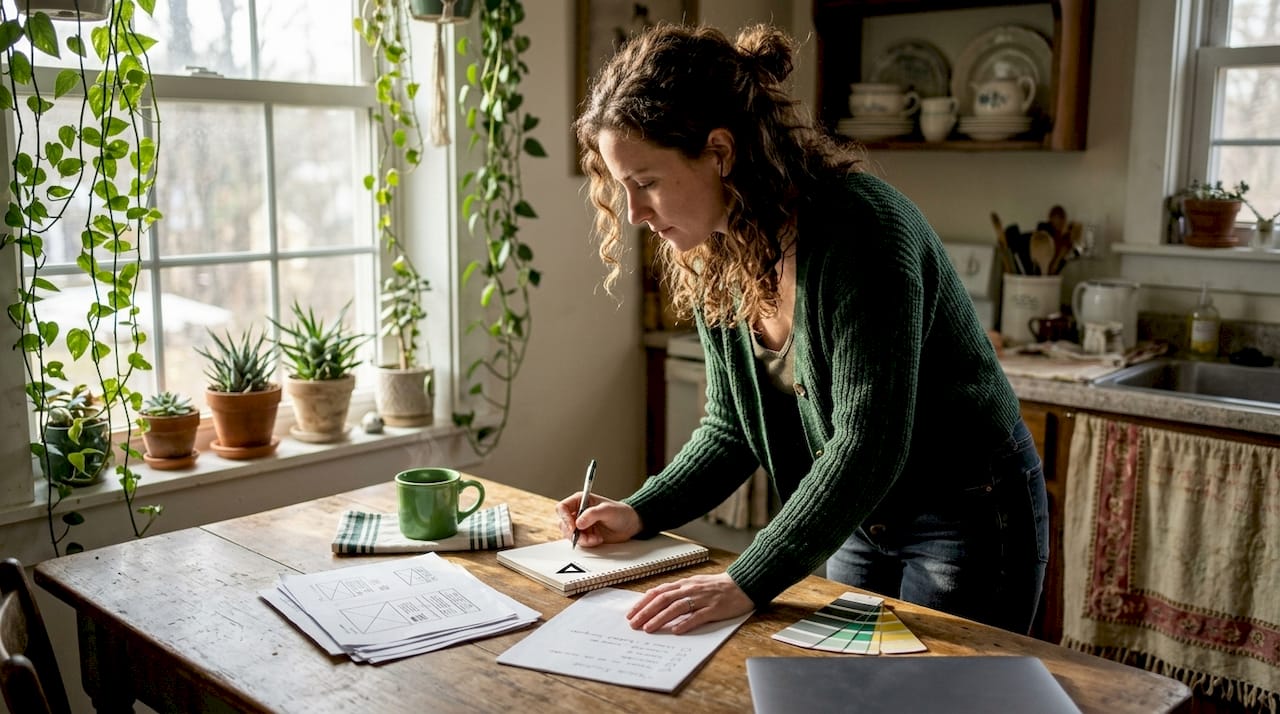
Layout consistency is the foundation of perceived professionalism. When a site uses mismatched fonts, inconsistent spacing, or clashing colours, visitors register the disorder before they read a single word. Consistent typography and harmonious colour palettes reduce cognitive friction and signal that a real, organised business stands behind the site. Generous white space does the same job. It gives the eye room to rest and the brain room to process.
Usability and navigation
Trust and website usability are inseparable. A visitor who cannot find your contact page, pricing, or services within a few clicks will assume your business is equally disorganised. Mobile responsiveness compounds this. A site that breaks on a phone signals neglect, and neglect signals risk. Loading speed carries the same weight. A slow site feels unreliable, and unreliable sites do not earn enquiries.
Trust signals at key decision points
Visible security badges, clear contact details, client testimonials, and verifiable credentials all function as trust signals. Users cannot independently verify technical security, so they rely on visual reassurance instead. A padlock icon, a physical address, and a phone number each reduce the perceived risk of engaging with your business. Place these signals at the exact points where visitors make decisions: contact forms, checkout pages, and service enquiry sections.
Imagery and authenticity
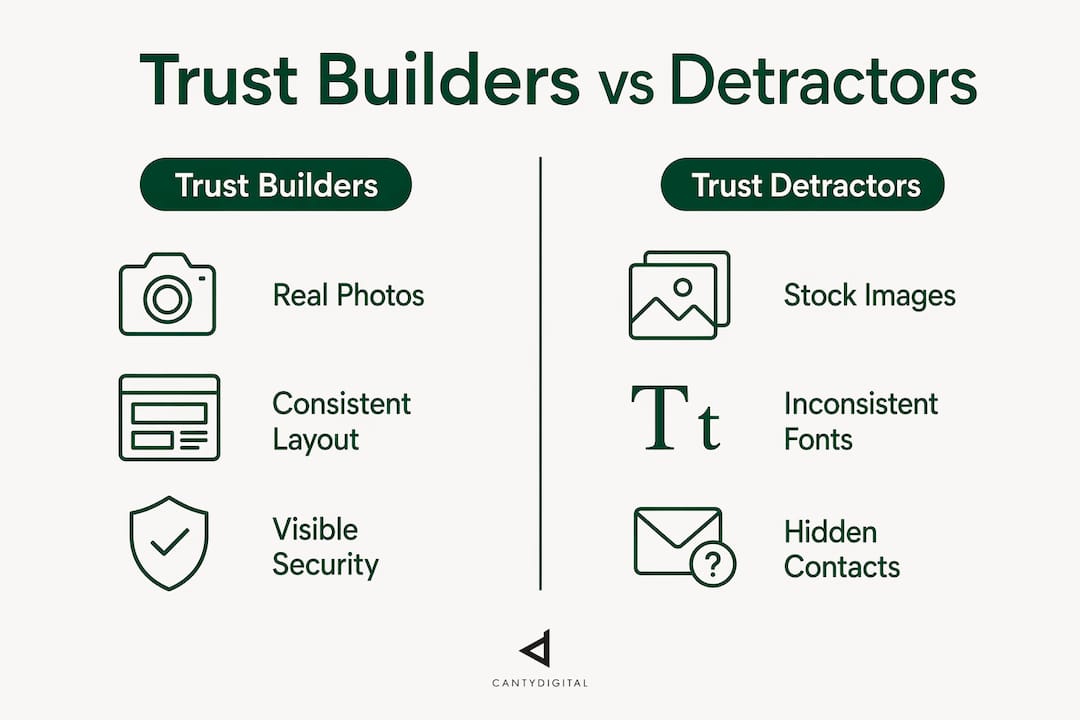
Real photographs of your team, premises, and work outperform generic stock imagery on every trust metric. Visitors recognise stock photos instantly, and recognition breaks the illusion of authenticity. This matters even more as AI-generated images become common. Research from the 2026 CHI Conference shows that disclosure of AI-generated images significantly decreases user trust in credibility-sensitive sectors such as healthcare and government. The lesson for business websites is clear: use real visuals wherever authenticity is on the line.
Pro Tip: Audit your homepage for stock photos and replace at least the hero image with a genuine photo of your team or workspace. This single change measurably improves perceived authenticity.
How do psychological principles explain design’s influence on trust?
The connection between web design and trust is not just aesthetic preference. It is grounded in cognitive psychology.
Cognitive fluency
Cognitive fluency describes how easily the brain processes information. When a site is visually clear and well-organised, the brain processes it without effort. That effortless processing feels good, and the brain attributes that good feeling to the site itself. Attractive interfaces increase cognitive fluency, making sites easier to use and trust because visitors do not struggle mentally to navigate or understand them. Don Norman’s emotional design research confirms that positive affect improves perceived usability and even increases tolerance for minor flaws.
The 50-millisecond rule
Trust judgements happen faster than most business owners realise. People form initial trust impressions in as little as 50 milliseconds, based solely on visceral visual appeal before any rational judgement occurs. That is faster than a blink. The implication is significant: your site’s visual design determines the emotional starting point for every visitor, before they read your headline, your offer, or your testimonials.
How trust forms in sequence
Understanding the order in which trust forms helps you design for it deliberately:
- Visceral impression (0–50ms). The visitor reacts emotionally to colour, layout, and visual weight. This reaction is involuntary.
- Behavioural assessment (seconds). The visitor tests usability. Can they find what they need? Does the site respond correctly on their device?
- Reflective evaluation (minutes). The visitor reads content, checks credentials, and weighs up whether the business is legitimate.
- Trust decision. Based on all three layers, the visitor decides whether to engage or leave.
“The goal in brand and web design is intentionality. A cohesive, engineered experience that immediately signals capability and professionalism is not decoration. It is the mechanism by which trust is built before a single word is read.”
Design that fails at stage one rarely recovers at stage three. A visitor who feels uneasy in the first 50 milliseconds will read your content with scepticism, not openness. This is why the importance of web aesthetics is not a superficial concern. It is the entry point to every other trust signal on your site.
Why businesses must balance aesthetics with authenticity
Polished design builds trust, but only when it feels genuine. When aesthetics tip into artificiality, the effect reverses.
The clearest example is AI-generated imagery. Experimental data from the 2026 CHI Conference confirms that when visitors learn an image is AI-generated, trust drops in sectors where authenticity is expected. Healthcare, legal services, financial advice, and government sites are the most affected. The same principle applies to any business where the human relationship is central to the value proposition.
Stock photography carries a similar risk. Generic images of smiling people in offices are so widely recognised that they actively undermine credibility. Visitors have seen those photos on dozens of other sites. Familiarity breeds distrust when the image is clearly not yours.
Online reviews add another layer of complexity. Trust in online reviews has declined from 84% in 2016–17 to 42% in 2025, according to BrightLocal’s Local Consumer Review Survey. That decline means generic five-star ratings no longer carry the weight they once did. Specific, detailed, owner-responsive reviews on multiple platforms now do the heavy lifting that volume alone used to handle.
The practical balance looks like this:
- Use real photos for hero images, team pages, and any section making a specific claim about your business.
- Reserve AI-generated or stock imagery for decorative, non-claim-bearing sections such as background textures or abstract illustrations.
- Display testimonials that include the client’s name, business, and a specific outcome rather than vague praise.
- Respond publicly to reviews, both positive and negative, to show a real person operates the business.
Pro Tip: Ask three recent clients for a one-paragraph testimonial that names the specific result they achieved. Specific outcomes convert far better than generic praise, and they signal authenticity to both visitors and search engines.
How to apply trusted web design principles to build online credibility
Knowing why design affects trust is useful. Knowing what to do about it is what moves the needle. The following framework applies directly to business websites seeking to build an authority website and convert visitors into clients.
Prioritise the pages that carry the most trust weight
Your homepage, services page, and contact page carry the majority of trust decisions. These pages deserve the most design attention. A polished homepage paired with a broken or sparse contact page destroys the credibility built in the first impression. Treat these three pages as a single trust unit and apply consistent design standards across all of them.
Make security reassurance visible at commitment points
Users’ sense of security is driven by visual cues, not technical knowledge. Place SSL indicators, privacy statements, and contact details immediately adjacent to any form where a visitor submits personal information. Do not bury these signals in the footer. Put them where the decision happens.
Maintain strict design consistency
Consistency across typography, colour, and layout is not a stylistic preference. It is a trust signal. Every page that deviates from your established visual standard introduces doubt. Use a defined style guide, even a simple one, and apply it without exception. The core elements of modern branding provide a useful framework for establishing these standards.
Keep content current and accurate
Outdated content signals an abandoned business. A blog post from 2019, a copyright notice that reads “© 2022,” or a team page featuring staff who have left all erode trust. Audit your site quarterly. Fix errors, update dates, and remove content that no longer reflects your current offer.
The table below summarises the design choices that build trust versus those that erode it:
| Design choice | Trust-building | Trust-eroding |
|---|---|---|
| Photography | Real team and workplace photos | Generic stock imagery |
| Typography | Consistent font hierarchy | Mixed fonts, inconsistent sizing |
| Navigation | Clear, labelled, mobile-friendly | Cluttered menus, broken links |
| Security signals | Visible SSL, contact details, privacy policy | No visible reassurance near forms |
| Testimonials | Specific, named, outcome-focused | Anonymous, vague, undated |
| Content freshness | Recently updated, accurate dates | Outdated posts, stale copyright notices |
Key takeaways
Web design directly determines perceived credibility because visitors form trust judgements in milliseconds based on visual cues, long before they evaluate your content or credentials.
| Point | Details |
|---|---|
| Visual design drives credibility | 46.1% of consumers judge website credibility on design elements before reading content. |
| First impressions form in 50ms | Visceral visual reactions occur before rational evaluation, making aesthetics the first trust gate. |
| Authenticity outweighs polish | Real photos and specific testimonials build more trust than AI-generated or stock imagery. |
| Security signals must be visible | Place SSL indicators and contact details at every point where visitors submit information. |
| Consistency signals professionalism | Uniform typography, colour, and layout across all pages reduce cognitive friction and build confidence. |
Design is not decoration: a view from 12 years in the field
Most business owners I speak with treat web design as a cosmetic exercise. They want something that “looks good” and then move on to what they consider the real work: SEO, advertising, and sales. That framing is the single most expensive mistake I see in digital strategy.
Design is the mechanism by which every other investment in your business is judged. Your SEO brings someone to your site. Your advertising drives a click. But if the design fails to establish trust in the first few seconds, none of that investment converts. The visitor leaves, and you have paid to send them there.
The research on this is not ambiguous. The Stanford Web Credibility Project, Don Norman’s emotional design work, and the 2026 CHI Conference findings all point to the same conclusion: visual design shapes trust before content gets a chance to speak. Business owners who understand this stop asking “does our site look nice?” and start asking “does our site signal that we are credible, organised, and safe to deal with?”
The AI imagery question is one I watch closely. As AI-generated visuals become cheaper and more accessible, the temptation to use them will grow. The research already shows the cost of that choice in credibility-sensitive sectors. My advice is to treat authenticity as a competitive advantage. The businesses that invest in real photography and genuine testimonials now will stand out as AI-generated content floods the web.
The connection between SEO and web design is also tighter than most people realise. A site that earns trust from visitors also earns trust from search engines. Engagement signals, dwell time, and low bounce rates all feed back into rankings. Design is not separate from your growth strategy. It is foundational to it.
— Matthew
How CantyDigital helps businesses build trust through design
CantyDigital has spent 12 years building websites that do more than look professional. Every site we design is built to establish credibility from the first impression, with consistent visual standards, real trust signals, and usability tested across devices.
If you are unsure whether your current site is working for or against your credibility, the website design FAQs are a practical starting point. They cover the most common questions business owners ask before a redesign, including what to prioritise, what to avoid, and how to evaluate whether your current site is costing you clients. For businesses ready to take the next step, book a strategy call and we will assess your site’s trust signals directly.
FAQ
Why does web design affect trust so strongly?
Visual design is the first signal visitors process, forming impressions in as little as 50 milliseconds. The Stanford Web Credibility Project found that 46.1% of consumers base credibility judgements on design elements before evaluating content.
What are the most important trust signals on a website?
Visible security indicators, real photography, consistent typography, clear contact details, and specific client testimonials are the strongest trust signals. Place security reassurance directly adjacent to any form where visitors submit personal information.
Does using AI-generated images hurt website credibility?
Research from the 2026 CHI Conference shows that disclosing AI-generated images significantly reduces trust in credibility-sensitive sectors such as healthcare and government. For business websites where authenticity matters, real photography is the safer choice.
How does website usability relate to trust?
Poor usability signals disorganisation, and disorganisation signals risk. Visitors who cannot navigate your site quickly will assume your business operates the same way. Mobile responsiveness and fast loading speeds are baseline usability requirements for maintaining trust.
How often should a business update its website to maintain credibility?
Audit your site at least quarterly. Outdated blog posts, stale copyright notices, and inaccurate team pages all signal an abandoned business and erode the trust that good design builds.