


Modular web design is defined as the practice of building websites from reusable, independent components that can be combined, updated, and rearranged across pages without rebuilding the site from scratch. In the industry, this approach is also called component-based design or atomic design, and both terms describe the same core idea: break your site into discrete building blocks, then assemble them as needed. The benefits are real and measurable. Modular design reduces development time and lowers technical debt by enabling iterative improvement without full redesigns. For web designers, developers, and business owners, that means faster launches, lower maintenance costs, and a site that can grow without a complete overhaul.
What is modular web design and how does it work?
Modular web design structures a website around self-contained components, each responsible for one clear function. A navigation bar, a hero section, a card grid, a footer. Each piece works independently and plugs into any page that needs it.
Three principles define how these components behave:
- High cohesion: Every element inside a module relates directly to that module’s purpose. A product card contains the image, title, price, and button. Nothing else.
- Low coupling: Modules do not depend on each other’s internal logic. You can update the product card without touching the navigation bar. Defined interfaces reduce coupling, making systems easier to maintain and extend over time.
- The Rule of Three: Any UI element used three times should be standardised as a reusable module. This heuristic stops teams from building one-off components that quietly multiply into maintenance problems.
Modular components and page templates serve different roles. Templates define the layout of a page. Modular components are the reusable building blocks that populate those templates. Confusing the two leads to rigid designs that are hard to update.
Each module encapsulates all the functionality it needs and communicates with other modules through standardised interfaces. That encapsulation means a change inside one module stays inside that module. It does not ripple unpredictably through the rest of the site.

Pro Tip: When auditing an existing site, list every UI element that appears more than twice. Each one is a candidate for conversion into a reusable module. This single exercise often reveals dozens of redundant components that are quietly inflating your maintenance workload.
How does modular design benefit website development and ongoing maintenance?
The most direct benefit of modular design is speed. Teams can build and test components independently, then assemble pages from a shared library rather than writing new code for every project.
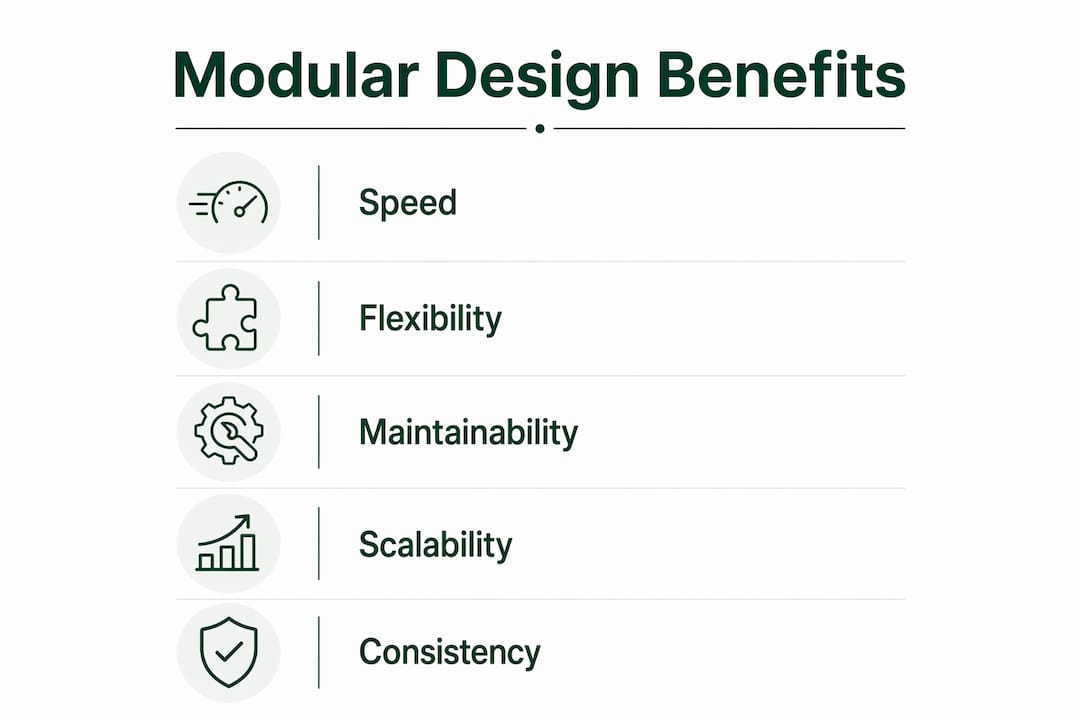
Independent modules can be designed, developed, and tested separately, which means multiple team members can work in parallel without blocking each other. That workflow improvement accelerates time to market and improves quality control across the board.
The maintenance benefits compound over time. Consider what happens when a brand updates its primary button colour. In a traditional site, a developer hunts through dozens of pages and stylesheets. In a modular site, the change happens once in the button component and propagates everywhere automatically. That is the practical meaning of low technical debt.
“Modular design avoids costly full redesigns by enabling iterative site evolution.” This is not just a workflow preference. It is a risk management strategy that protects your investment in the site over years, not months.
Four concrete advantages stand out for most teams:
- Branding consistency: Every page uses the same approved components, so the visual identity stays uniform without manual policing.
- Accessibility compliance: Modular design aligns with WCAG and Section 508 by enabling component-level updates and testing. Fix an accessibility issue in one component and it is fixed everywhere that component appears. You can read more about accessibility in web design and why it matters for corporate sites.
- Content editor autonomy: Content editors can build and modify page layouts directly without developer intervention. That flexibility improves marketing agility and responsiveness to campaign needs.
- Faster campaign launches: Reusable modules mean a new landing page is an assembly job, not a build job. Teams can support faster campaign launches and real-time personalisation without touching the codebase.
How to implement modular web design principles effectively
Implementation starts before a single line of code is written. The first step is an audit of your existing site or design brief to identify repeating patterns. Those patterns become your first components.
A structured approach works best:
- Build a component library first. Document every reusable element: buttons, form fields, cards, navigation patterns, and section layouts. Tools like Figma or Storybook let teams build and preview components before integrating them into a live site.
- Define naming conventions and documentation standards. A component no one can find or understand is not reusable. Clear naming and usage notes are what turn a collection of files into a genuine design system.
- Integrate components into your CMS. A well-configured CMS lets editors drag and drop approved modules to build pages. This is where the content editor autonomy benefit becomes real. Without CMS integration, modular design stays a developer-only tool.
- Test components independently. Each module should have its own test cases covering function, accessibility, and visual appearance. This is far more efficient than testing entire pages and trying to isolate which element caused a problem.
- Establish a governance process. Decide who can create new components, who approves changes, and how deprecated components are retired. Without governance, component libraries grow into a different kind of mess.
Common adoption challenges include resistance from teams used to page-by-page workflows and the upfront time required to build the initial component library. Both are real costs. The payoff comes in the second and third projects that draw from the same library, where build time drops significantly.
Pro Tip: Do not try to modularise everything at once. Start with the five most frequently used components on your site. Get those right, document them thoroughly, and use them as the template for how all future components are built and governed.
What are real-world examples of modular web design in action?
Modular design is visible on almost every well-built website, even when visitors do not notice it. The components are the experience.
| Component type | Traditional approach | Modular approach |
|---|---|---|
| Hero section | Built fresh per page | One reusable module with configurable fields |
| Navigation bar | Copied and pasted across templates | Single component updated once, reflected everywhere |
| Product card | Redesigned per campaign | Standardised card with swappable content slots |
| Call-to-action button | Styled individually per page | One button component with approved variants |
| Footer | Manually updated per page | Single module; one edit updates the whole site |
The table above shows the practical difference between traditional and modular approaches for common site elements. The time savings per element are modest. Across a site with hundreds of pages, they are substantial.
A useful case study is a mid-sized e-commerce business running seasonal campaigns. Under a traditional build, each campaign page requires a developer to build a new layout, style new elements, and test the result. Under a modular system, the marketing team selects a hero module, a product grid module, and a promotional banner module, configures the content fields, and publishes. The developer is not in the critical path.
Modular design also makes future redesigns far less painful. When a business updates its brand identity, the change happens at the component level. The site’s structure, content, and CMS configuration remain intact. That is a meaningful difference from a traditional redesign, which often requires rebuilding pages from scratch. Small, targeted site changes and SEO impact are also easier to measure when components are isolated, because you can attribute ranking shifts to specific module changes rather than guessing across a full-page rebuild.
Key takeaways
Modular web design reduces development time, lowers maintenance costs, and gives teams the flexibility to update and scale a site without rebuilding it from scratch.
| Point | Details |
|---|---|
| Core definition | Modular design builds sites from reusable, independent components rather than one-off page layouts. |
| Rule of Three | Any UI element used three or more times should be standardised as a shared module. |
| Maintenance advantage | Changes made to one component propagate across every page that uses it, cutting update time significantly. |
| Accessibility benefit | Component-level testing makes WCAG and Section 508 compliance easier to achieve and maintain consistently. |
| Implementation priority | Build a component library and integrate it with your CMS before writing page-level code. |
Why modular design is a long-term investment, not a trend
Modular design is one of the few web development decisions that pays you back every time you touch the site. I have worked with teams that resisted it because the upfront investment felt heavy. Every single one of them came back after their first major update cycle wishing they had started earlier.
What most teams overlook is the governance side. They build a component library, feel good about it, and then let it grow without rules. Six months later, there are four versions of the same button and nobody knows which one is current. The technical architecture is only half the work. The process around it is what makes modular design actually function at scale.
The other thing I see underestimated is how modularity supports team collaboration. When components are well-documented and independently testable, a junior developer can build a new page without needing a senior to review every line. That is a real productivity gain that does not show up in any project estimate but absolutely shows up in delivery speed.
Web standards are also moving in a direction that rewards modular thinking. Accessibility requirements are tightening. AI-driven search is rewarding structured, consistent content. Sites built from clean, well-defined components are easier to audit, easier to update for compliance, and easier for search systems to parse. Modularity is not just good practice today. It is the architecture that will age well.
— Matthew
Cantydigital and modular web design for your business
Cantydigital builds websites from the ground up using component-based architecture, which means every site we deliver is built to grow without a rebuild. Our team has 12 years of experience designing sites that are fast, accessible, and structured for long-term performance on both traditional search engines and AI-driven platforms.
If you are a business owner, developer, or designer ready to move away from rigid, page-by-page builds, Cantydigital offers flexible, no-lock-in web design and digital agency services tailored to your goals. We are a 5-star Wix Partner based in Wollongong, and we work with businesses across Australia to deliver sites that perform from day one and keep performing as your needs change.
FAQ
What is modular web design in simple terms?
Modular web design is the practice of building a website from reusable, independent components such as headers, cards, and buttons that can be assembled and updated across pages without rebuilding the site.
How does modular design differ from responsive design?
Responsive design controls how a site adapts to different screen sizes. Modular design controls how a site is structured from reusable components. The two approaches work together and are not mutually exclusive.
What is the Rule of Three in modular design?
The Rule of Three states that any UI element used three or more times should be standardised as a reusable module. This prevents redundant, one-off components from accumulating across a site.
Does modular web design help with accessibility compliance?
Modular design makes WCAG and Section 508 compliance easier because accessibility fixes applied to one component automatically apply everywhere that component is used.
How long does it take to implement a modular design system?
The initial component library takes longer to build than a traditional page-by-page approach, but subsequent projects and updates draw from that library and are significantly faster to deliver.


